The company you define in LoneComply must have at least one organization, but it can have more.
Assume you have a maintenance team with maintenance staff who work alone from time to time, and you also have a team of security guards. In this case, you might want to create two organizations: “Maintenance” and “Security.”
When adding these workers and supervisors to your team, you can assign them to either organization (and possibly some to both).
It is no problem to add more organizations later. You can reassign users at any time.
On this page:
From the main menu, please select Organization. Then click Edit or Add New.
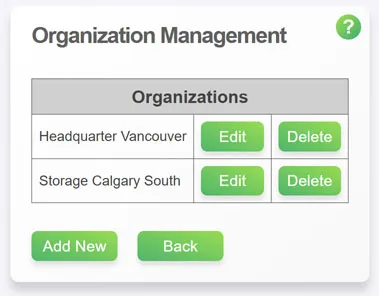
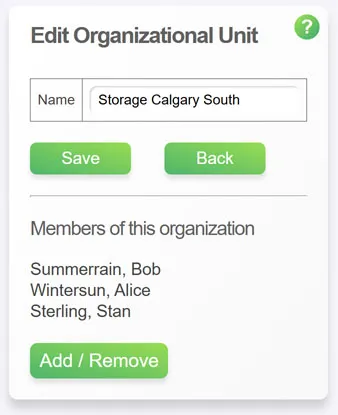
In LoneComply, an organization is a sub-unit of your company. It consists of nothing more than a name and the team members you assign to it.
Click Add / Remove to add or remove team members to or from this organization.
If you have not yet entered team members, you can assign them later.
Your team will fill the following roles:
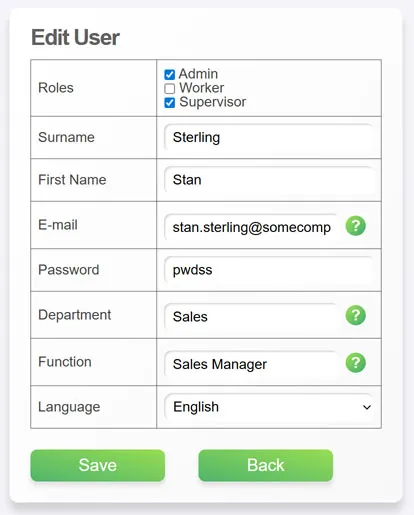
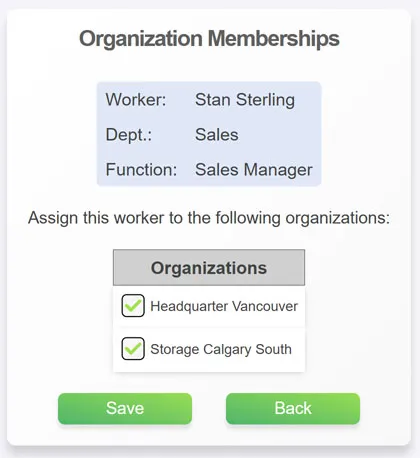
Important: The admin can assign any role to any user at any time (although they cannot revoke their own admin rights).
The admin can also assign any user to any organization at any time.
This keeps you flexible, so you do not need to plan too much. Simply modify your organization according to your needs.
In LoneComply, users are typically never deleted. Instead, they are deactivated. This is because there may be isolation data in the database that needs to be kept for documentation.
Once deactivated, a user no longer appears in views and cannot perform any activities in the system.
Once you have added workers and supervisors to LoneComply, you need to assign supervisors to workers.
When going into isolation, workers can select only from the supervisors who are assigned to them.
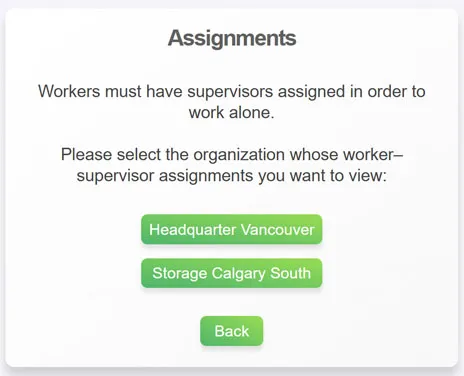
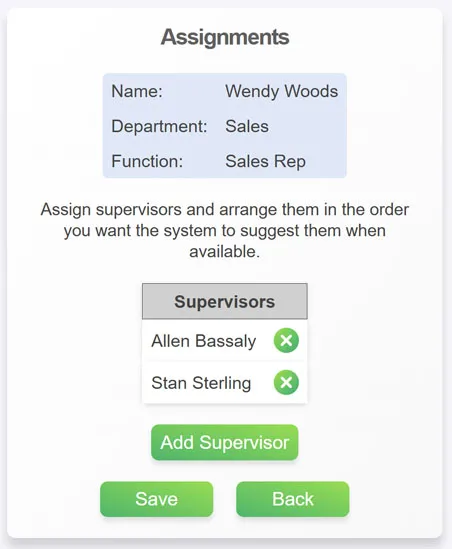
You can always adjust assignments — for example, if new team members need to be assigned.
Next: Define Types of Isolation:Step 3 Back
